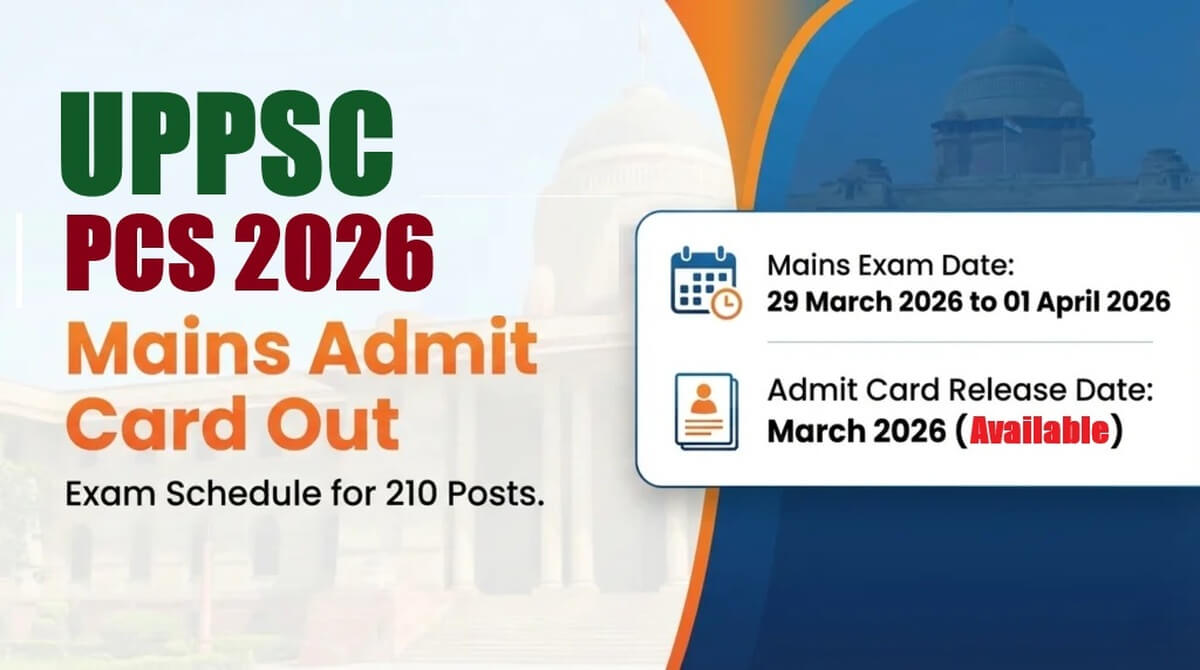
The UPPSC PCS Mains Admit Card 2026 has been officially released, bringing a major update for candidates preparing for the prestigious Combined State/Upper Subordinate Services (PCS) Mains Examination. Candidates who successfully cleared the preliminary exam can now download their admit cards from the official website. This document is essential for appearing in the mains examination scheduled between 29 March and 01 April 2026.
The admit card contains all crucial details such as exam date, center, timing, and candidate information. Without it, entry to the examination hall will not be permitted. Therefore, candidates are advised to download their hall ticket as soon as possible and verify all the details carefully to avoid last-minute issues.
UPPSC PCS Mains Admit Card 2026 Exam
The UPPSC PCS Mains Exam 2026 is one of the most important stages in the recruitment process conducted by the Uttar Pradesh Public Service Commission. This examination is designed to test candidates’ in-depth knowledge, writing ability, and analytical skills through descriptive-type questions.
The exam will be conducted in offline mode using pen and paper. It will take place over multiple days, from 29 March to 01 April 2026, with two shifts each day. Candidates must prepare thoroughly as this stage plays a significant role in determining their selection for administrative positions.
Only candidates who qualified in the prelims are eligible to appear for the mains exam. The admit card acts as a mandatory entry pass and includes all necessary guidelines for exam day. Candidates should read the instructions mentioned on the hall ticket carefully to ensure a smooth examination experience.
UPPSC PCS Mains Admit Card 2026
The UPPSC PCS Mains Admit Card 2026 is now available for download on the official website. Candidates need to log in using their One Time Registration (OTR) number, date of birth, gender, and captcha code to access the admit card.
Read More: Gauhati High Court MTS Result 2026 OUT: Check PDF Download Now ghconline.gov.in
This hall ticket is an important document that verifies a candidate’s eligibility to appear in the exam. It contains essential information such as candidate name, roll number, exam center details, and exam schedule. Candidates must ensure that all details printed on the admit card are correct.
In case of any discrepancies, candidates should immediately contact the UPPSC authorities for correction. It is also advised to take at least two to three printouts of the admit card for backup purposes. Carrying a clear and legible printout is mandatory for entry into the examination hall.
UPPSC PCS Mains Admit Card 2026 Release Date and Latest Updates
The admit card for the UPPSC PCS Mains Exam 2026 has been released in March 2026, just days before the commencement of the examination. The Uttar Pradesh Public Service Commission activated the download link on its official portal, allowing candidates to easily access their hall tickets.
With the exam dates approaching, candidates should not delay downloading their admit cards. High traffic on the website may cause slow loading, so it is recommended to access the site during non-peak hours if needed.
Candidates must rely only on the official website (uppsc.up.nic.in) for downloading the admit card. Avoid using unofficial sources to prevent errors or misinformation. The commission has ensured a smooth process, but candidates should still verify all details immediately after downloading.
This admit card will remain available only for a limited period, so timely action is necessary. Keep your login credentials ready and secure to avoid any inconvenience during the process.
UPPSC PCS Mains Selection Process 2026
The selection process for the UPPSC PCS Exam 2026 consists of three main stages: Preliminary Examination, Mains Examination, and Interview. Each stage is crucial and filters candidates based on their performance.
The prelims exam serves as a screening test, and only qualified candidates proceed to the mains exam. The mains exam is descriptive in nature and carries significant weight in the final selection.
Candidates who perform well in the mains exam are shortlisted for the final interview stage. The interview assesses personality traits, communication skills, and overall suitability for administrative roles.
The final merit list is prepared based on marks obtained in the mains exam and interview. Therefore, candidates should focus on performing well in each stage. The admit card plays an essential role in allowing candidates to participate in the mains exam.
Important Instructions for UPPSC PCS Mains Exam 2026
Candidates must follow all the instructions mentioned on the UPPSC PCS Mains Admit Card 2026 to avoid disqualification. First and foremost, reach the examination center at least 45 to 60 minutes before the reporting time.
Late entry will not be allowed under any circumstances. Candidates should carry a printed copy of the admit card along with a valid photo ID proof such as Aadhaar card, voter ID, or passport.
Electronic devices like mobile phones, smartwatches, and calculators are strictly prohibited inside the exam hall. Candidates should also avoid carrying unnecessary items like bags or study materials.
It is important to follow all guidelines given by the invigilators during the exam. Maintaining discipline and adhering to the rules will ensure a smooth examination process.
How to Download UPPSC PCS Mains Admit Card 2026
Downloading the UPPSC PCS Mains Admit Card 2026 is a simple online process. Candidates need to visit the official website and log in using their credentials. Once logged in, the admit card will be displayed on the screen. It can then be downloaded and printed for future use. Make sure all details entered are correct to avoid login issues.
Step-by-step process:
- Visit the official website at uppsc.up.nic.in
- Go to the “Admit Card” or “What’s New” section on the homepage
- Click on the link for PCS Mains Admit Card 2026
- Enter your OTR number (One Time Registration Number)
- Input your date of birth in the required format
- Select your gender as mentioned in the application
- Enter the captcha code displayed on the screen
- Click on the “Submit” or “Download Admit Card” button
- Your admit card will appear on the screen
- Download the PDF file and save it on your device
- Take at least 2-3 printouts for exam use
- Verify all details such as name, exam center, and timing
- Contact authorities if any discrepancy is found
Details Mentioned on UPPSC PCS Mains Admit Card 2026
The UPPSC PCS Mains Admit Card 2026 contains several important details that candidates must check carefully. It includes personal information such as candidate name, father’s name, date of birth, category, and gender.
Additionally, the admit card displays exam-related information like exam name, dates, shift timings, and reporting time. It also mentions the exam center name and complete address, helping candidates plan their travel accordingly.
The admit card also includes the candidate’s photograph and signature for identification purposes. Along with this, important instructions regarding exam day guidelines, allowed items, and prohibited items are clearly mentioned.
Candidates must ensure that all the information is accurate. Any mismatch should be reported immediately to avoid complications during the examination.
Frequently Asked Questions (FAQs)
1. When was the UPPSC PCS Mains Admit Card 2026 released?
It was released in March 2026.
2. What is the exam date for UPPSC PCS Mains 2026?
The exam will be held from 29 March to 01 April 2026.
3. Where can I download the admit card?
You can download it from the official website uppsc.up.nic.in.
4. What credentials are required to download the admit card?
You need your OTR number, date of birth, gender, and captcha code.
5. Is it mandatory to carry the admit card to the exam center?
Yes, without the admit card, entry will not be allowed.
6. What should I do if there is an error in my admit card?
You should contact UPPSC authorities immediately for correction.